
Revo Uninstaller Free vs Pro: Is Pro Worth It?
If you’ve been eyeing Revo’s paid version, you probably want to know if it actually cleans more than the free one before you pay for it. So I tested Revo Uninstaller Free vs Pro on the same apps on my Zephyrus G16 and counted everything each one left behind. Pro cleared more of G Hub’s registry keys, but the files left behind were nearly identical. So if you’re deciding whether it’s worth $24.95, I’ll show you what each one left and who Pro actually makes sense for.
After I removed the same apps with Revo Free and the Pro trial, both left 0 of Opera GX’s files, and on Logitech G Hub Pro left 2 registry keys where Free left 5. If you only uninstall normal apps that show up in the list, Free covers it. Pro’s extra value is in its backups, Forced Uninstall and batch removals.
- Zephyrus G16 (GA605WI)
- Ryzen AI 9 HX 370
- RTX 4070 Laptop
- Windows 11 Home 26H2
- Revo Uninstaller Pro 5.5.4
- Revo Uninstaller Free 2.7.2
Build 26300.9974 · Opera GX 139 · Logitech G Hub 2026.7 · tested Nov 16, 2026
How I compared Revo Free and Pro
Revo’s own comparison table lists a lot of Pro-only features, so I wanted to see if Pro actually cleans more on a real laptop. I installed Opera GX, Epic Games Launcher and Logitech G Hub fresh, opened each one for 2 minutes like a normal first run, restarted, and took a snapshot of every file, folder, registry key, scheduled task and firewall rule on the laptop. Then I removed them with Revo Free, did the exact same install again, and removed them with the Pro trial, snapshotting after each.
I kept every app’s own uninstaller on its defaults and hit Select All and Delete on every leftover screen both times. The one difference besides the version was Opera’s scan mode, which was Moderate on Free and Advanced on Pro, although on Free, Moderate had already cleared every Opera file.
What Free and Pro left behind
The results are in the table below, with Free as the baseline. Epic isn’t in it, and that one’s on me, since I forgot to close Epic before the Pro run, so Epic’s own setup refused to continue and that removal can’t be compared fairly (I wrote up that error in my Revo Uninstaller not working guide).
| App and what was counted | Revo Free Baseline | Revo Pro |
|---|---|---|
| Opera GX files left | 0 | 0 no change |
| Opera GX registry keys left (of 12) | 3 | 3 no change |
| G Hub files left | 41 | 37 −9.8% |
| G Hub size left | 4.2 MB | 4.2 MB no change |
| G Hub registry keys left (of 11) | 5 | 2 −3 |
On files they were basically a tie, since both cleared all of Opera’s files, and the 4 fewer G Hub files under Pro added up to so little that the size left rounded to the same 4.2 MB. Part of that is G Hub’s saved settings (about 1.2 MB on the Free run), which stay behind because G Hub’s own uninstaller comes with Save my current settings ticked, and Revo respects that.
Registry was where Pro pulled ahead, with 3 fewer G Hub keys left. Both versions also left the same 3 Opera keys under HKEY_CURRENT_USER\Software\Opera Software, and Pro’s own summary counted 0 registry keys deleted for Opera, so paying for Pro won’t get you those.
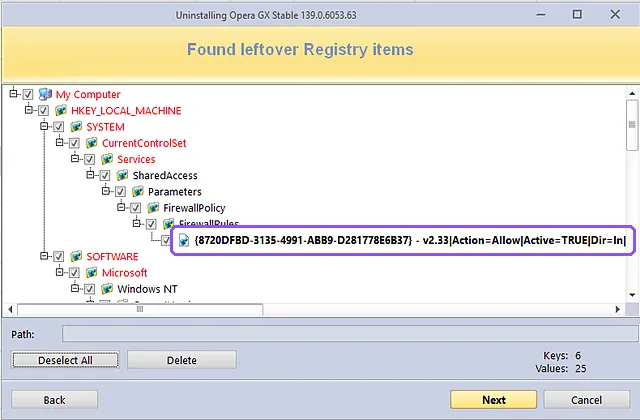
Pro did go after one thing I was watching for. Opera adds an inbound Windows Firewall rule when it installs, and Pro’s registry screen listed that rule (the purple box below), and its summary counted 1 registry value deleted.
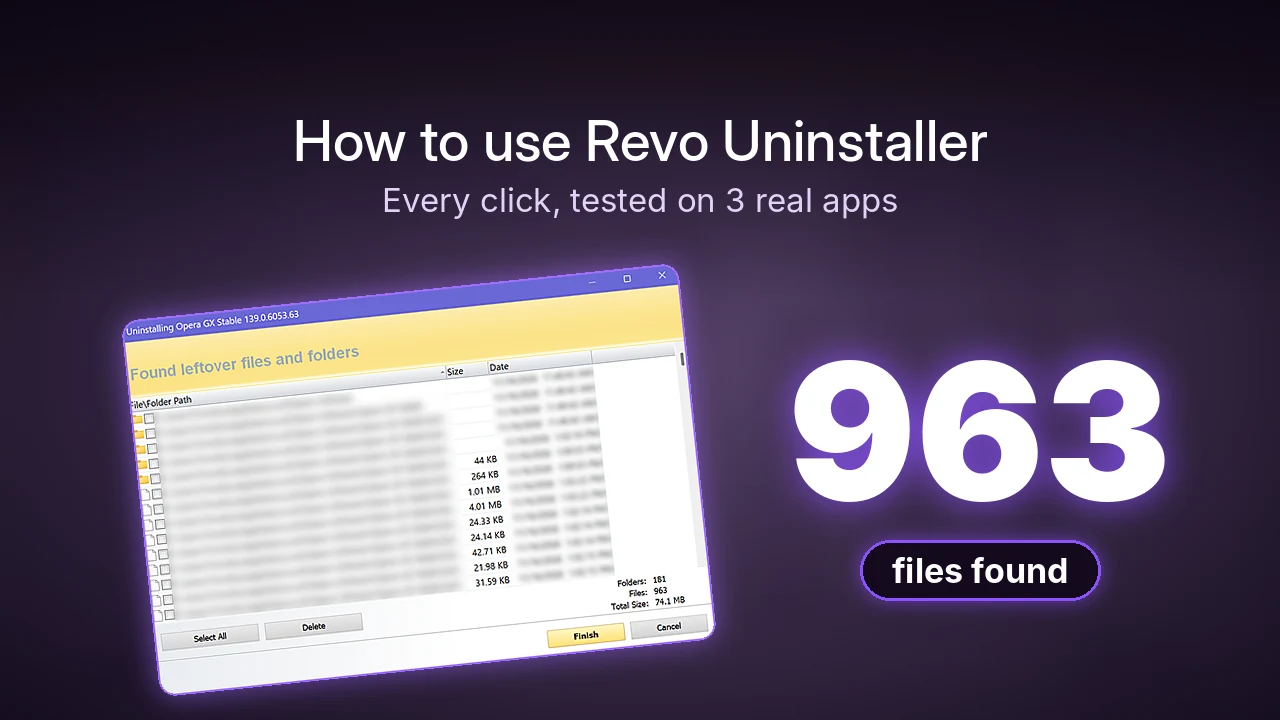
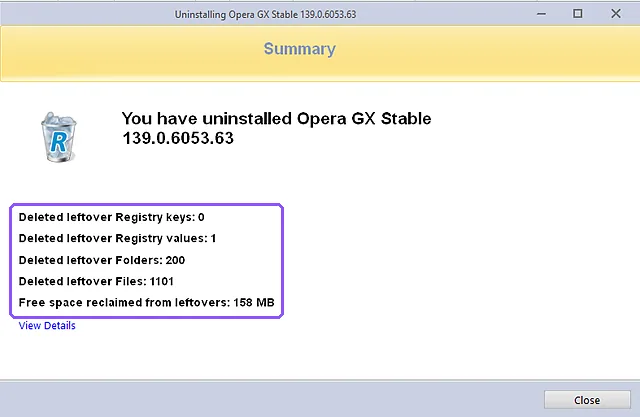
For Opera, Pro’s summary said it deleted 200 folders and 1,101 files and reclaimed 158 MB, which you can see in the purple box below.
What Pro adds that Free doesn’t
Since the cleanup itself was so close, Revo Pro’s features are what you’re really paying for. These are the ones I actually saw during my test run, starting with the confirm box.
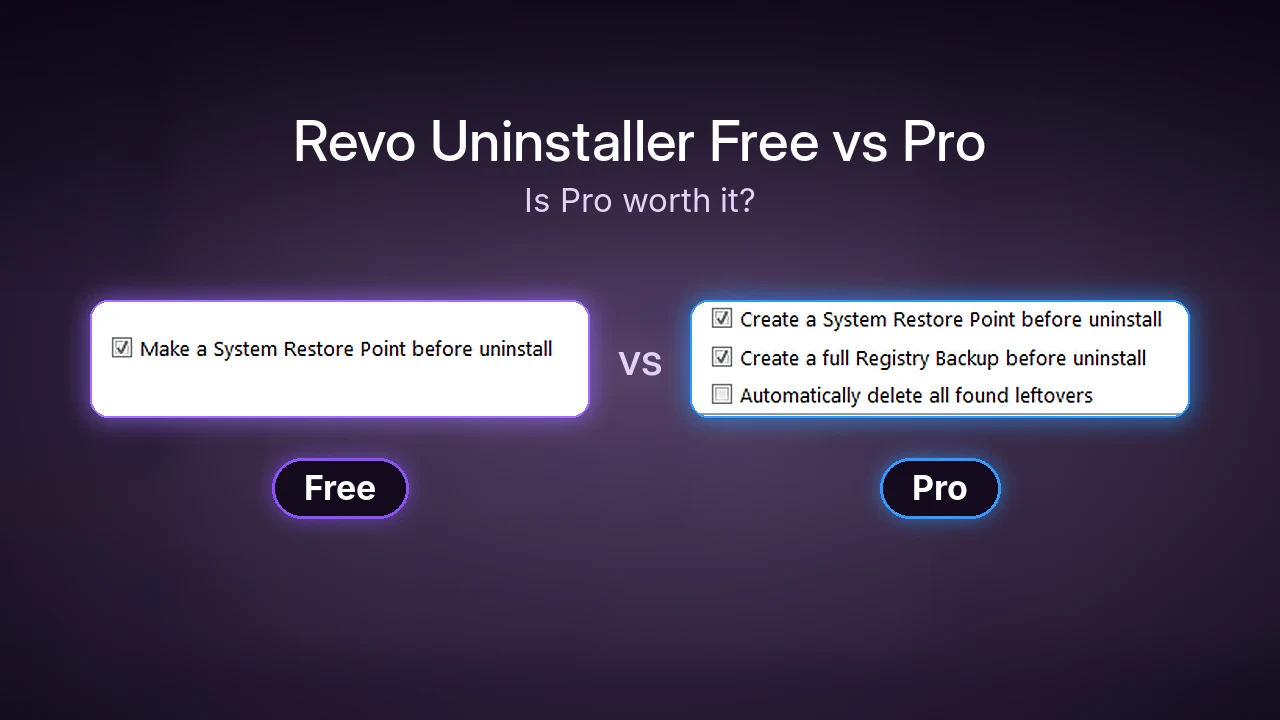
Free’s confirm box only has 1 option, the restore point. Pro’s has 2 more (in the purple box below): Create a full Registry Backup before uninstall, which comes ticked, and Automatically delete all found leftovers, which doesn’t. The registry backup is a second way back on top of the restore point, and Revo’s site says Pro also saves every registry item it deletes so you can restore them one by one from its Backup Manager. Auto-delete skips the 2 leftover screens, which is faster but means you never see what’s being removed, so I left it off.

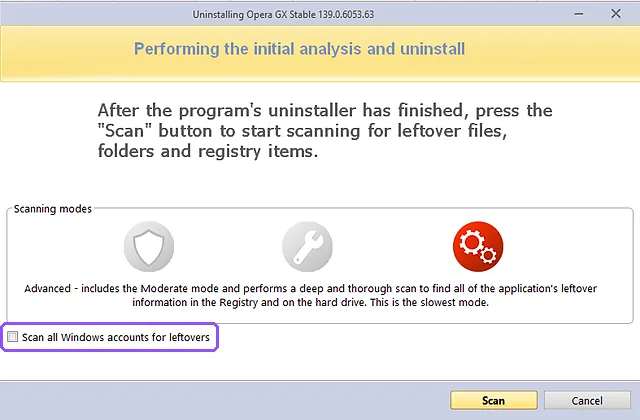
The scan screen also has a Scan all Windows accounts for leftovers checkbox (purple box below), which Free doesn’t have. My laptop only has 1 account so I left it unticked, but if your PC is shared with family and each person opened the app, that’s the box that finds their leftovers too.
After uninstalling Epic and G Hub, Pro also popped up a small notice in the corner saying each app “will no longer auto start!”, which seems to show up for everything that had a startup entry. The rest of Pro’s list on the official comparison table is Forced Uninstall (for apps that aren’t listed or are half-removed), Quick/Multiple Uninstall for removing several apps in a row, browser extension removal, and real-time install monitoring with a logs database. I didn’t test those in this round, so they’re Revo’s claims rather than my results.
Revo Uninstaller Pro price and trial
Pro is $24.95 for 1 PC with 1 year of updates, or $39.95 for 2 years, on Revo’s site. The license doesn’t stop working when the year is up. You keep using the version you have, you just stop getting updates unless you renew. There’s also a 60-day money-back guarantee.
Revo says the 30-day trial doesn’t need a card, and after I installed it, it opened a color theme picker and an update screen, then the title bar showed “Unregistered Version – Remaining Days: 29”, and it never asked me to click anything like “continue trial” before using it.
Is Revo Uninstaller Pro worth it?
For most of you guys, the answer depends on what you’re removing, not how much you want it cleaned, since the leftover counts barely moved between versions. Personally, I honestly don’t think Pro is super useful for me, as the free version essentially wiped the apps of the main things I wanted to get rid of.
- Stick with Free if you uninstall the occasional app that shows up normally in the list. It ran the same scan modes, found the same Opera files, and the restore point is on by default. My how to use Revo Uninstaller guide walks through every screen.
- Try Pro if you’re dealing with an app that isn’t in the list or a broken install (that’s what Forced Uninstall is for), if you’re cleaning up a lot of apps at once, or if your PC has more than 1 user account.
- Use the trial first either way. 30 days with no card is enough time to clear out a whole laptop and see whether the extra registry backup and batch tools are worth $24.95 to you.
Whichever one you pick, make sure you close the app first and empty your Recycle Bin after, since Revo moves deleted leftovers there instead of wiping them.
If you’ve used Pro’s Forced Uninstall on something that Free couldn’t touch, let me know what the app was in the comments, since that’s the next thing I want to put through the same snapshot test.