Is MyASUS Necessary? What It Runs on a ROG Laptop (2026)
Is MyASUS necessary, or is it just one more ASUS app sitting on your laptop? I had it removed from my Zephyrus G16 back in February and never missed it. So this time I put it back on and clicked through every screen. I also logged what it runs before, during and after you open it.
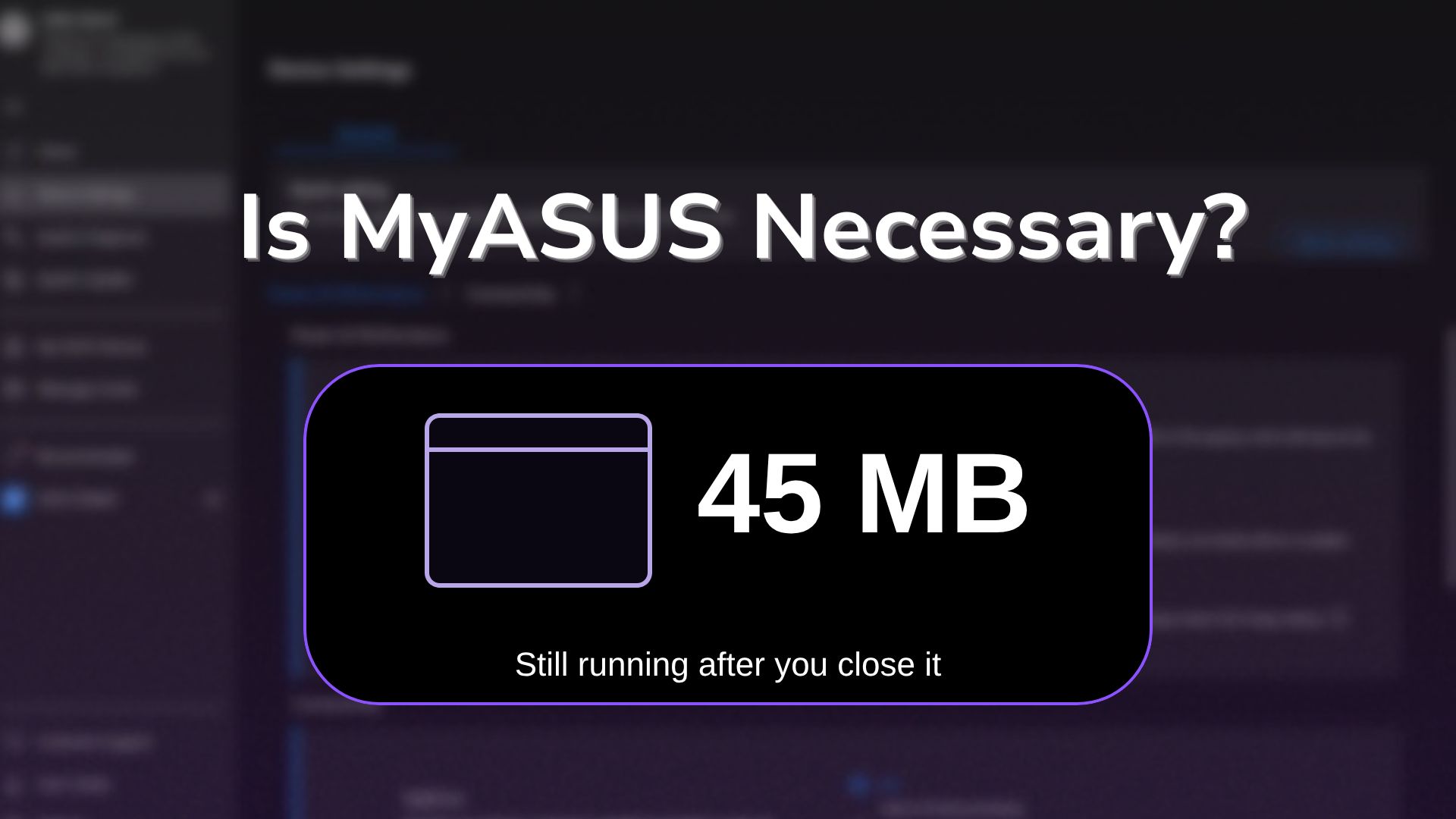
The background part surprised me more than the app did, because about 45 MB kept running even after I closed it. Maybe you want that memory back, or you just want to know what you’d lose by deleting it. Either way, I’ll go through what MyASUS actually does on a ROG laptop and whether it’s worth keeping down below.
After I installed MyASUS 4.0.77.0 on my G16 and opened it:
- Installed, never opened: Nothing new running in the background
- Home page open: The main MyASUS process sat at about 591 MB
- After closing it: 2 processes kept running, about 45 MB together
- Device Settings: 4 controls, plus a button that sends you to Armoury Crate
- Zephyrus G16 (GA605WI)
- Ryzen AI 9 HX 370
- RTX 4070 Laptop
- Windows 11 Home 26H2
- MyASUS 4.0.77.0
Build 26300 · ASUS System Control Interface 3.1.72.0 · Armoury Crate 6.7.6.0 installed
What Is MyASUS?
Once I had it back on, MyASUS turned out to be mostly ASUS’s support app. It’s where your warranty info, hardware checks and ASUS driver and firmware updates live, with a small settings page on the side for things like the battery charge limit. ASUS’s own MyASUS introduction lists it for laptops, desktops, all-in-ones and even motherboards, so it’s built for every ASUS PC rather than for gaming laptops specifically.
That last part matters on a ROG laptop like mine, since ROG models already ship with Armoury Crate for the gaming side. So is MyASUS necessary on a ROG laptop? It comes down to which of its jobs aren’t already covered by something else on your laptop.
What MyASUS Runs in the Background
I installed it with Windows’ built-in winget tool, which skips the Microsoft Store window completely (I went through that in install MyASUS without the Microsoft Store), and scanned every ASUS process at each step, measuring private memory (the RAM a process keeps for itself). I sorted the results into the table down below.
| MyASUS state | What was running | Memory (MB) |
|---|---|---|
| Installed, never opened | Nothing new | 0 |
| First launch, privacy screen | AsusMyASUS, BackgroundTaskUWP, AsusOSD | about 384 |
| Home page open | AsusMyASUS, BackgroundTaskUWP, AsusOSD | about 637 |
| After closing the window (2 min later) | BackgroundTaskUWP, AsusOSD | 45.3 |
So the window itself is where almost all of the memory goes, with AsusMyASUS using 338 MB on the first screen and about 591 MB once Home loaded. The part that sticks around is BackgroundTaskUWP at 43.2 MB and AsusOSD at 2.1 MB, which kept running the whole 2 minutes I watched after the window was gone.
Those 2 don’t come from a normal startup entry either. MyASUS is a Microsoft Store app, and its package registers 15 background tasks with Windows that wake on a timer or on system events, which is how it gets back into the background without showing up in Task Manager’s Startup apps. Microsoft’s docs say a Store app has to ask Windows for access before it can register those, which lines up with nothing running on mine until I opened it the first time. If you’re wondering why MyASUS is still in Task Manager after you’ve closed it, that’s most likely the reason.
What MyASUS Can Change on a ROG Laptop
On my G16, Device Settings only had 4 controls in it, which is where the answer changes for gaming laptop owners:
- Battery Care Mode, which caps charging at 80%
- Instant Full-Charge Mode, which charges to 100% once and turns Battery Care back on after 24 hours
- TaskFirst, which prioritizes network bandwidth for work apps, streaming, games or GlideX
- WiFi SmartConnect, which jumps to the router with the best signal
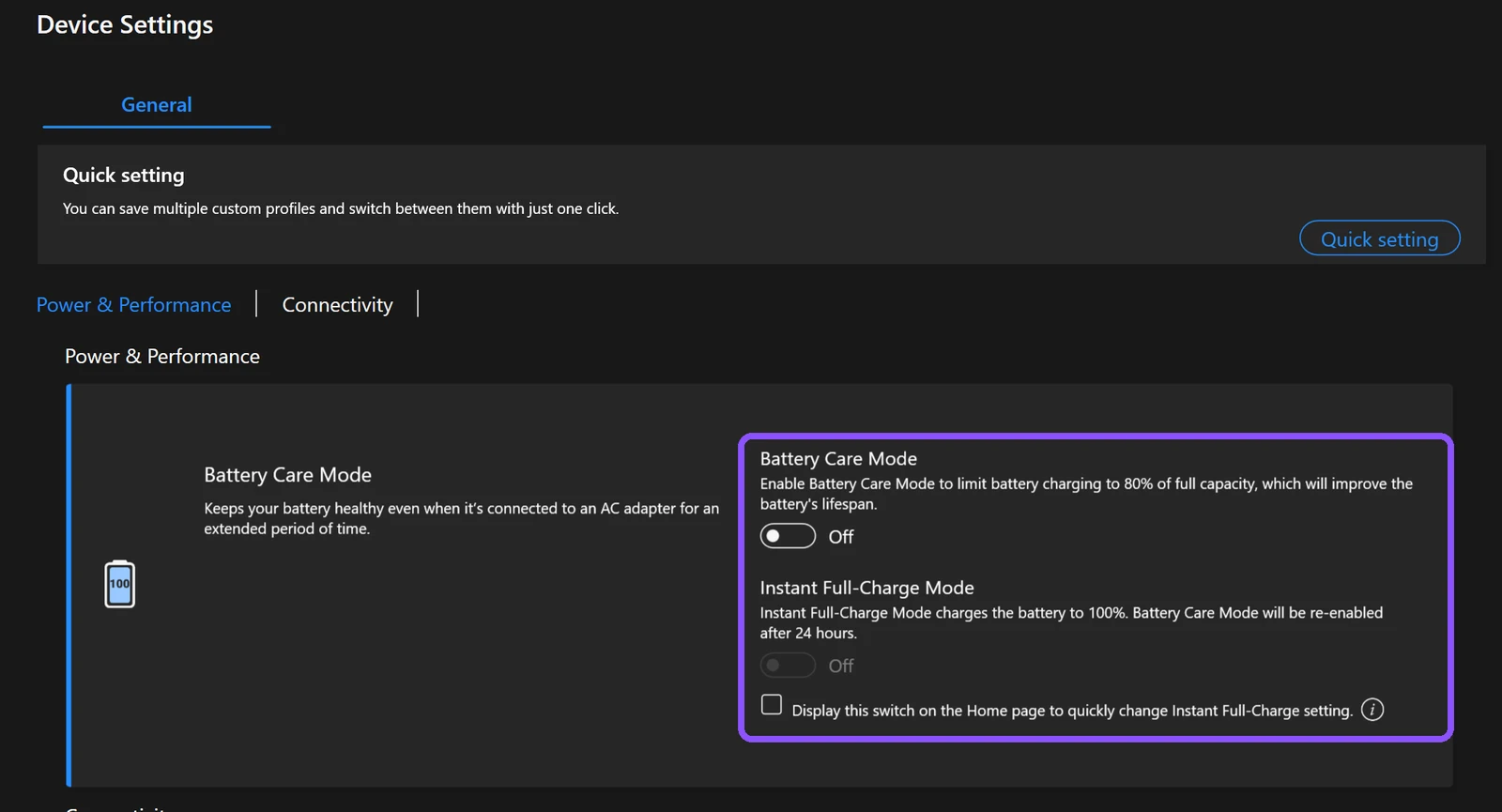
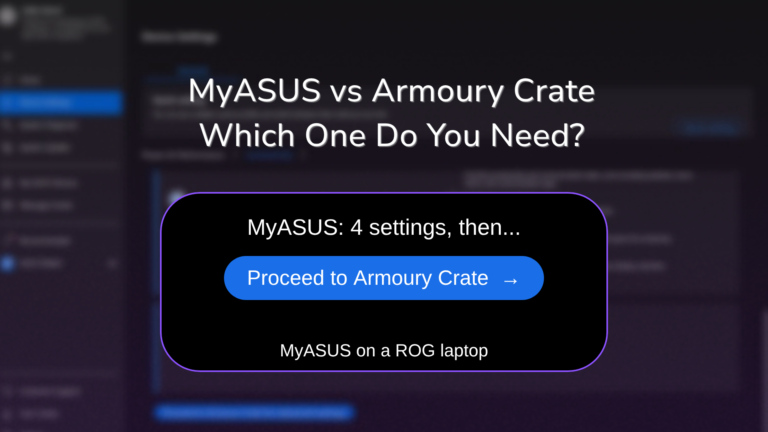
There was no screen color setting (Splendid), no fan profile and no display settings, even though ASUS’s own MyASUS introduction lists 5 Device Settings groups (Power & Performance, Audio & Visual, Connectivity, Input Device Settings, Privacy & Security) and my G16 only showed 2 of them. Scroll to the bottom and the page ends with a Proceed to Armoury Crate for advanced settings button instead, so on a ROG laptop MyASUS hands everything past the charge limit straight to Armoury Crate.
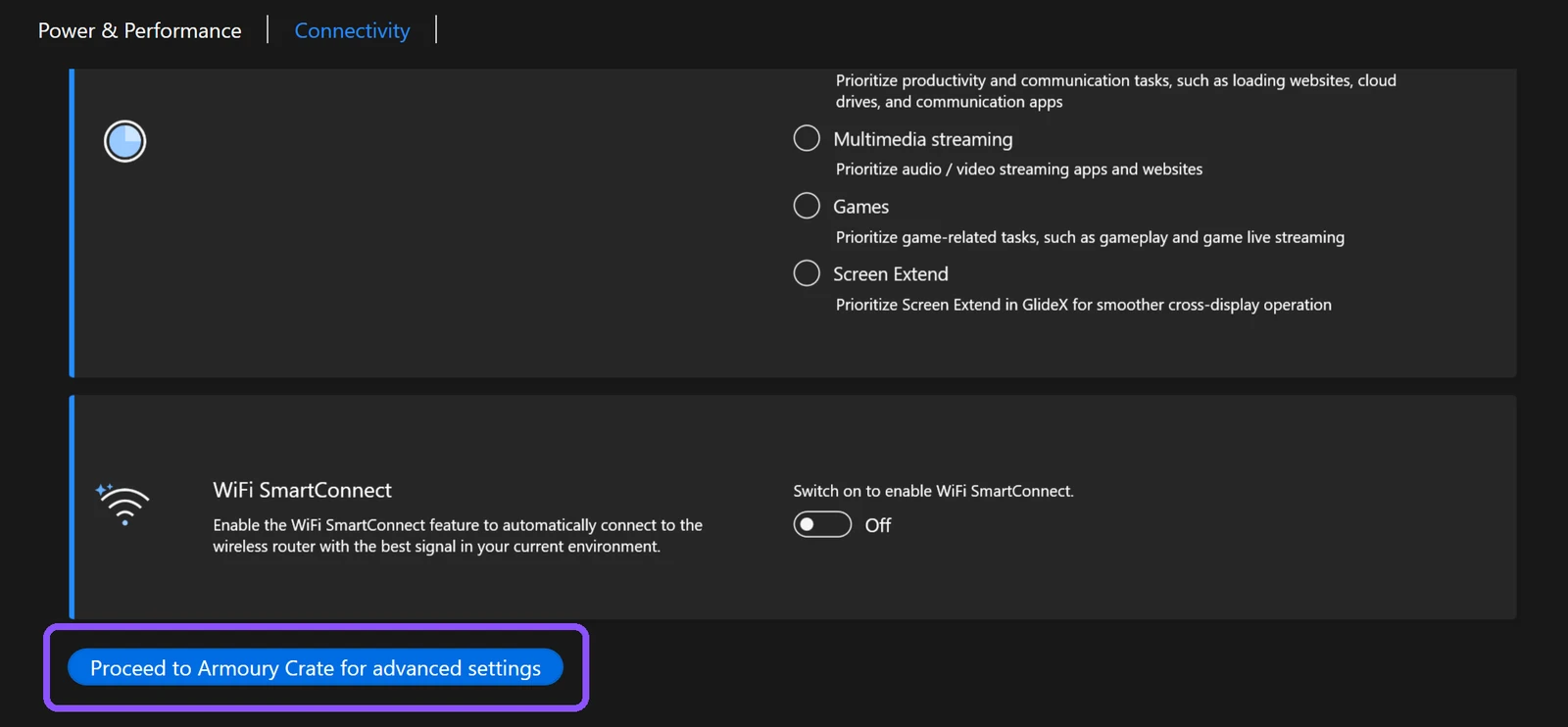
The charge limit is also in Armoury Crate and G-Helper, so none of those 4 settings needs MyASUS on a ROG laptop. I went through which charge limit to pick in my ASUS Battery Care Mode guide.
The rest of the sidebar is mostly ASUS’s other stuff. Recommended is where ASUS promotes third-party apps and deals. My ASUS Devices is for ASUS routers, monitors and mice, and ASUS GlideX just opens the separate GlideX app, which I went through in ASUS GlideX.
The Driver Update It Forces on First Launch
Before MyASUS would let me past its welcome screen, it popped up a New updates box asking me to update the ASUS System Control Interface, and the only button was I understand. Clicking it updated the driver from 3.1.70.0 to 3.1.72.0 in about 30 seconds, then showed Your device has been updated to the latest version.
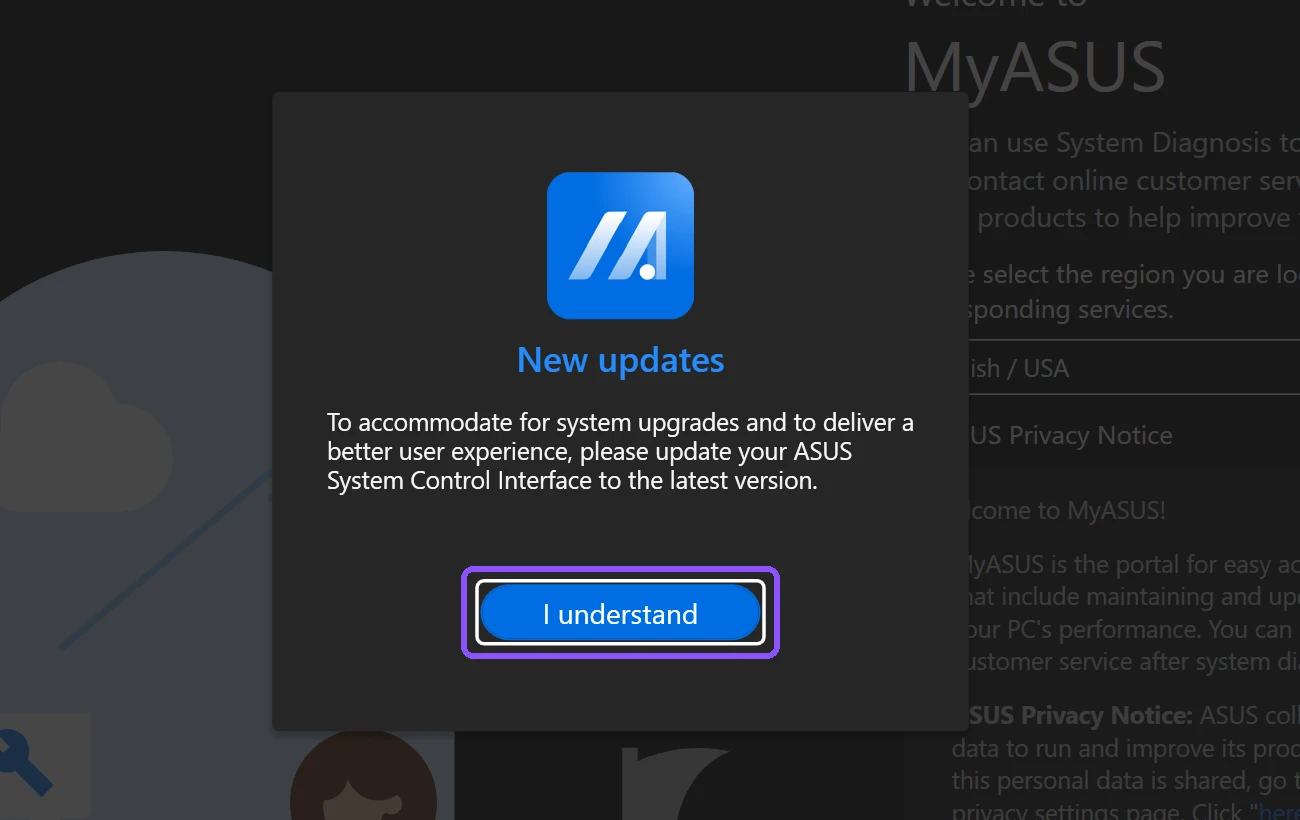
ASUS System Control Interface is the driver that lets ASUS apps talk to your fans, battery and keyboard, and it stays on your laptop whether MyASUS does or not. I broke down everything it installs in my ASUS System Control Interface post. Uninstalling MyASUS later didn’t roll the driver back either, it stayed on 3.1.72.0.
Is MyASUS Necessary?
Is MyASUS necessary for the laptop to work? No, mine ran for 8 months without it and Armoury Crate covered every hardware setting. What you’d actually lose comes down to 3 things MyASUS does that Armoury Crate doesn’t:
- System Update, which offered me 1 critical update, an SSD Firmware Update (V1.0.0.08, 10.83 MB), pre-ticked and ready to install.
- System Diagnosis, which checks the adapter, memory, Wi-Fi, Bluetooth, SSD, battery and fans.
- Warranty and support, which shows your warranty date and links you to ASUS customer service.
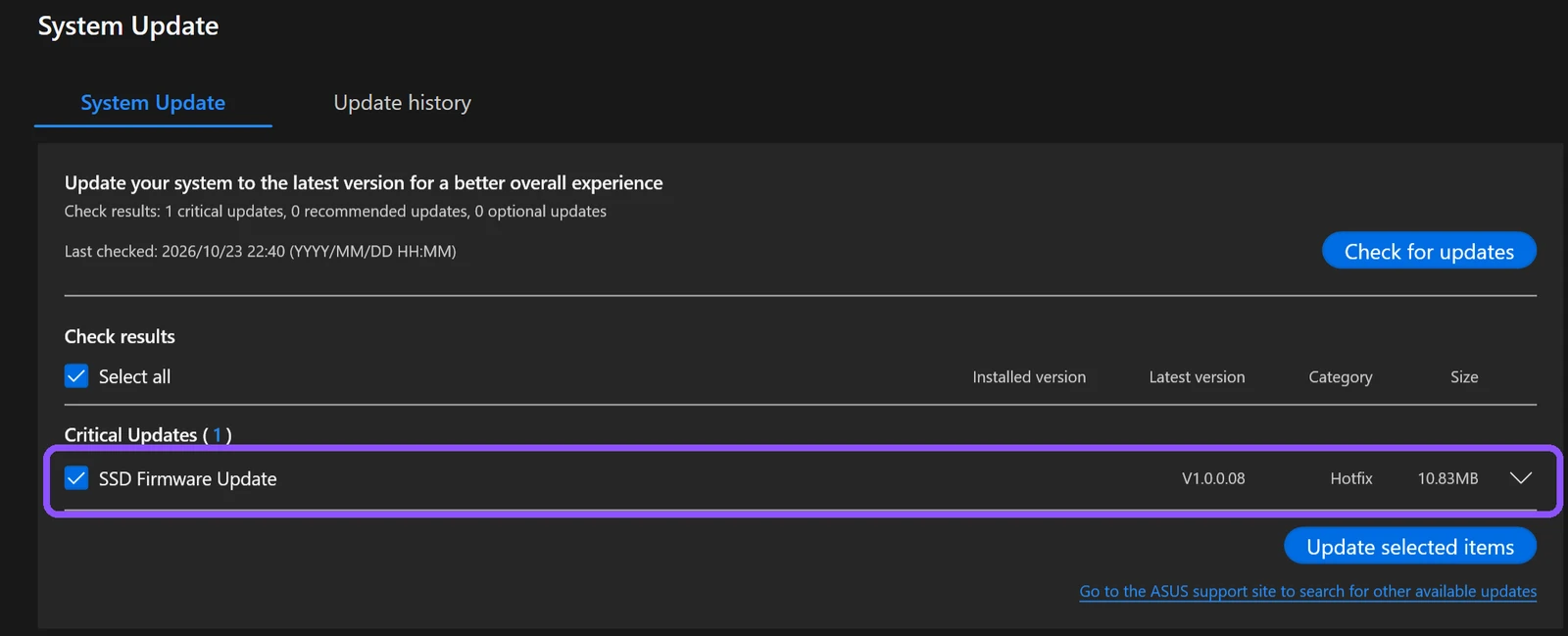
I didn’t install it during testing, but I’d let MyASUS handle a firmware update like that, since I’d rather get it straight from the company that built the laptop than go hunting for it myself. ASUS also lists drivers and firmware on its support site for your model, so System Update mostly saves you a search.
What is MyASUS and do I need it?
MyASUS is the support side of ASUS’s software, and on a ROG laptop the settings side belongs to Armoury Crate. You’d want it if you like having firmware and driver updates offered to you, or if you’re about to contact ASUS support and want the diagnosis report ready. If you only ever touch performance modes and the charge limit, Armoury Crate or G-Helper already does that part. And if you’re asking is MyASUS necessary next to Armoury Crate specifically, I put the 2 side by side in MyASUS vs Armoury Crate.
Personally, I’d delete it, because I trust myself to take care of my own laptop and Armoury Crate already covers everything I actually change. If you like the peace of mind of having your warranty and ASUS support 1 click away though, I think it’s worth keeping around.
Is MyASUS Bloatware?
Is MyASUS bloatware? It depends on whether you use it, which is the case for most of ASUS’s preinstalled apps. It doesn’t run anything until you open it once, but after that it left about 45 MB running in the background on mine, even with the window closed, and its one hardware setting, the charge limit, is already in Armoury Crate and G-Helper. I went through every other preinstalled ASUS app the same way in my ASUS bloatware list.
How to Uninstall MyASUS
MyASUS uninstalls like any other Microsoft Store app, and there’s no separate uninstall tool like there is for Armoury Crate:
- Open Settings > Apps > Installed apps.
- Type MyASUS in Search apps.
- Click the three dots next to MyASUS, then click Uninstall.
- Click Uninstall again to confirm.
I did mine from an admin Terminal with the command below, which finished in 2.9 seconds:
winget uninstall --id 9N7R5S6B0ZZH --source msstoreAfterward the app, its install folder, its data folder and both background processes were gone. 2 things were still on the laptop though. There was a C:\ProgramData\ASUS\MyASUS folder with 2 small files dated March 2026, and 2 Windows Firewall allow rules for MyASUS version 4.0.64.0, which is the factory copy that was removed back in February. So an earlier uninstall had left those behind 8 months ago, and this one didn’t clean them up either. They’re tiny and they don’t run anything, so they’re fine to leave.
How to uninstall MyASUS is the easy part compared to uninstalling Armoury Crate, which needs ASUS’s own tool and still left a running service behind on my laptop.
MyASUS FAQ
Is MyASUS safe?
Yes, it’s ASUS’s own app from the Microsoft Store, published by ASUSTeK. The first launch asks you to agree to a privacy notice, and there’s a Decline (basic functions only) button if you’d rather not, plus a separate unticked box for marketing news that you can leave off.
Is MyASUS free?
Yes. Device Settings, System Diagnosis and System Update all worked on mine without paying for anything.
Do I need a MyASUS account?
No. MyASUS shows an ASUS account sign-in during setup, and clicking Next skips it. Device Settings, System Diagnosis and System Update all worked without one.
Can I delete the MyASUS app?
Yes. On my G16 the fan modes and charge limit live in Armoury Crate and the ASUS System Control Interface driver, and both were still installed after I removed MyASUS. If MyASUS is installed and acting up instead, I went through the fixes I tested in MyASUS not working.
If you’re on a Zenbook or Vivobook and your MyASUS Device Settings has a lot more in it than my 4, drop your model in the comments, because I want to see how different the non-ROG version is.