Windhawk Translucent Windows: Best Settings + 5 Fixes
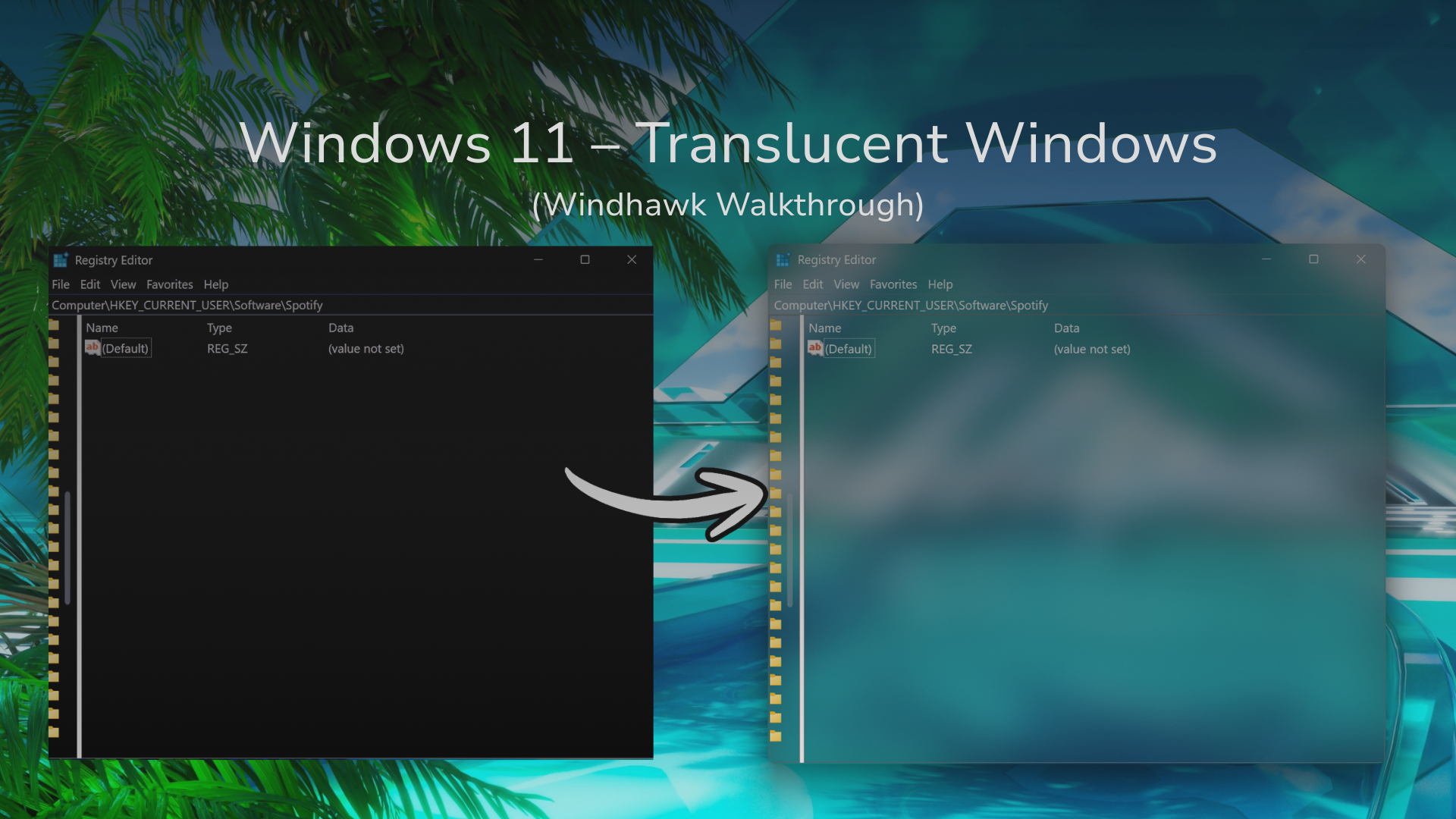
Windhawk Translucent Windows puts real glass behind old-school Windows programs like regedit and Control Panel, and Acrylic is the effect I’d pick for the most see-through look. But on a laptop, the first thing that made it look broken for me was Energy saver, which switches Windows transparency off completely, and nothing in the mod tells you that. Also, apps like Chrome, Discord and Vivaldi will never change, no matter what you set.
Everything here is off my ROG Zephyrus G16 (Ryzen AI 9 HX 370, OLED) on Windows 11 25H2 build 26200.9168, running Windhawk 1.7.3 and Translucent Windows 1.8.2.
So when I first installed this, Control Panel didn’t change at all and I had no idea why. That one got me for a while. Below is what the mod actually does, which apps it works on, the settings I kept, and every fix I needed to get it working, in the order you’ll probably hit them.
What Windhawk Translucent Windows Actually Does
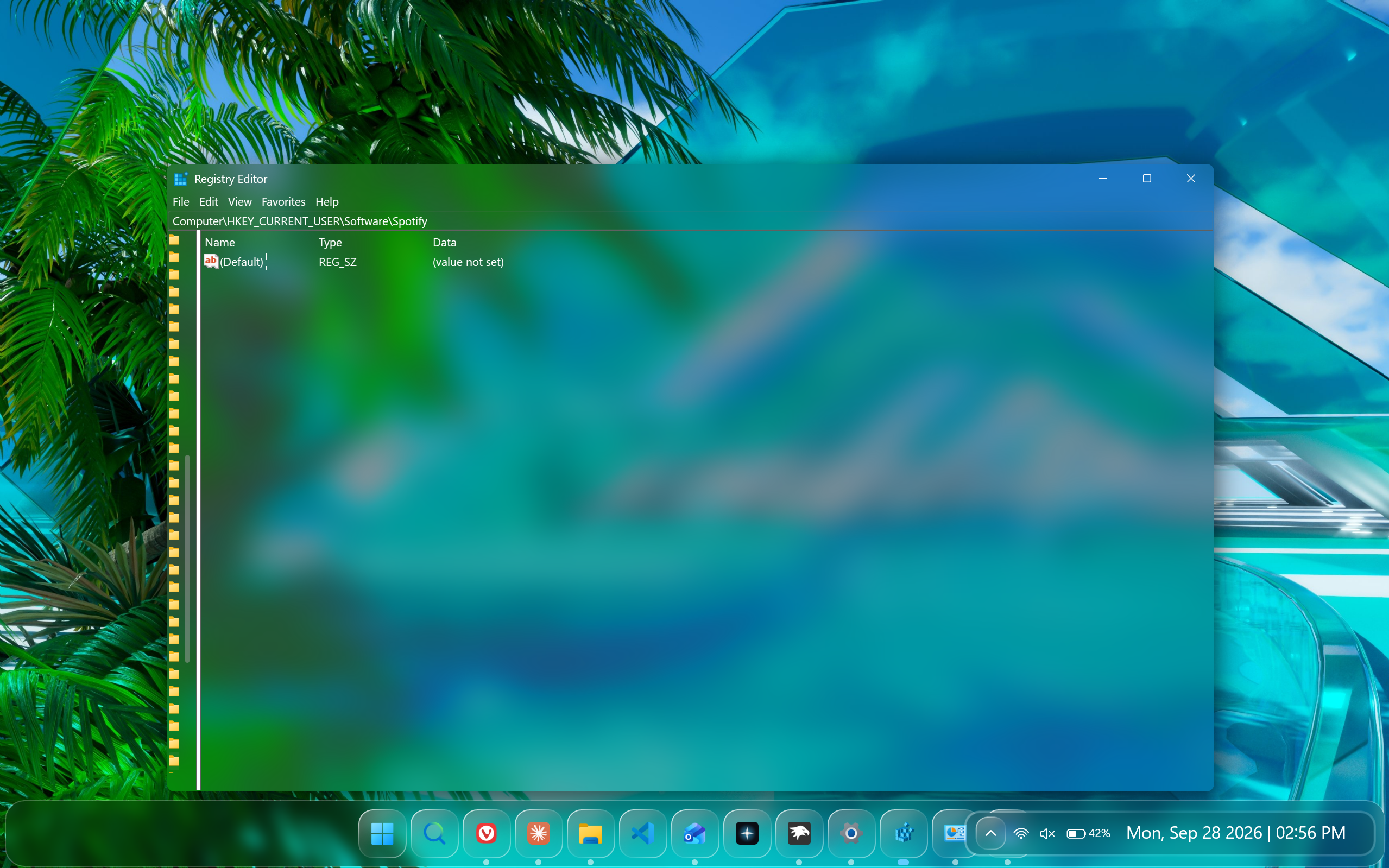
Short version first. Windows 11 already has see-through backgrounds built in, called materials, but a program only gets one if it asks Windows for it. Most older programs never ask, so they stay solid gray or white. Windhawk Translucent Windows asks on their behalf, for every window in every program it’s allowed into, which is why its mod page lists All processes.
Now the slightly more technical version. Windows decides a window’s backdrop through a setting Microsoft documents as DWM_SYSTEMBACKDROP_TYPE. The default only puts material behind the title bar, and sometimes nothing at all, for backwards compatibility. The other values put Mica, Acrylic or Mica Alt behind the entire window, and those need Windows 11 build 22621 (22H2) or newer. The mod sets those values on windows that never would have asked for them.
Forcing that onto old programs causes 2 problems, and most of the mod exists to fix them:
- Text going invisible. Old programs draw text with GDI, Windows’ original drawing system, which predates transparency. As Microsoft’s Raymond Chen explains on The Old New Thing, most GDI operations wipe out the transparency data in whatever they draw. So once the background is see-through, the text can come out see-through too. The mod’s Windows theme custom rendering setting patches how that text gets drawn so it stays visible.
- Controls that don’t match. Buttons, scrollbars and menus in old programs use fixed system colors. The New system colors setting changes those through a Windows function called SetSysColors, which applies across all of Windows, not just one app.
Which apps it worked on for me
| App | Result on my G16 |
|---|---|
| regedit | Full glass |
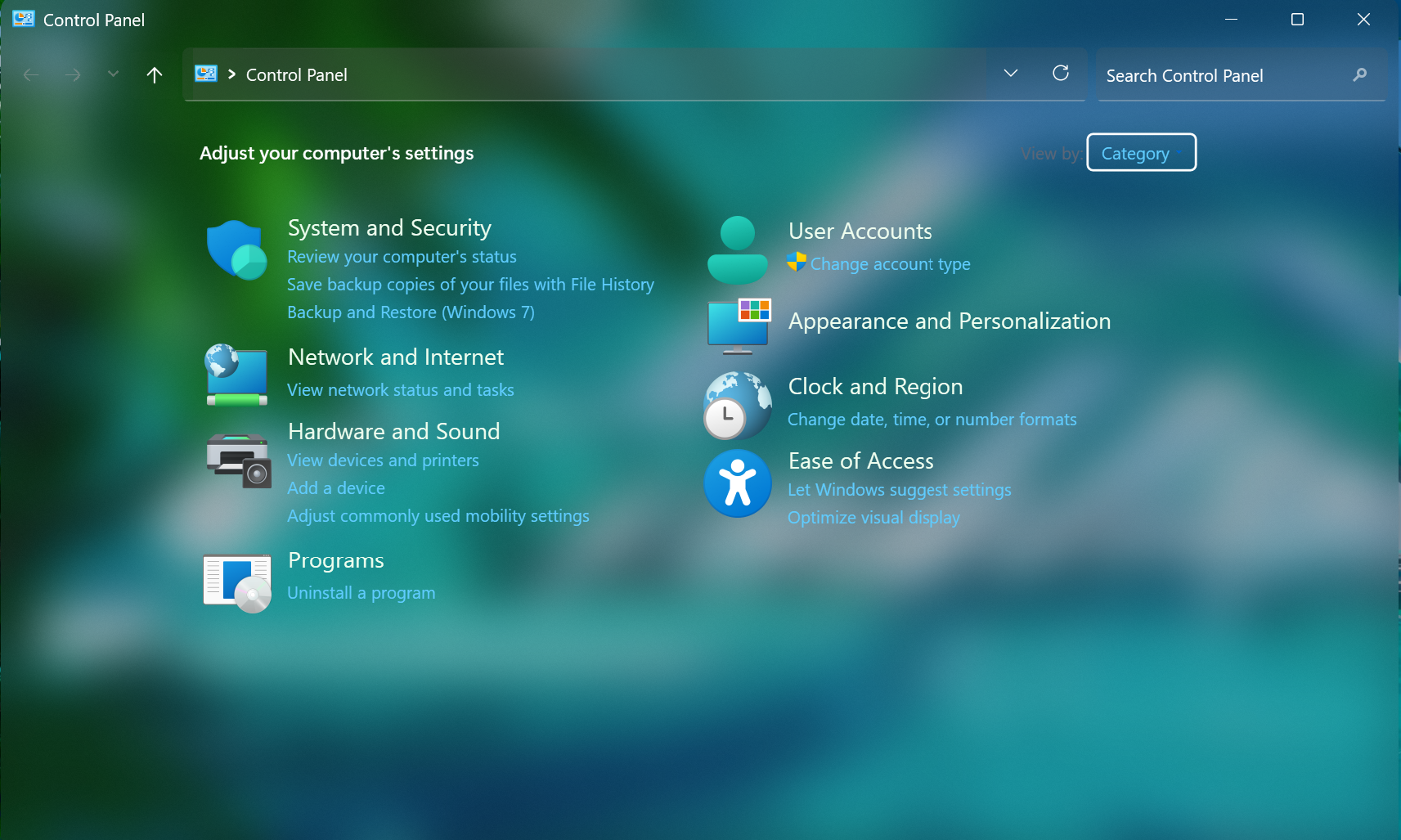
| Control Panel | Full glass (the search box only turns solid black while you’re typing in it) |
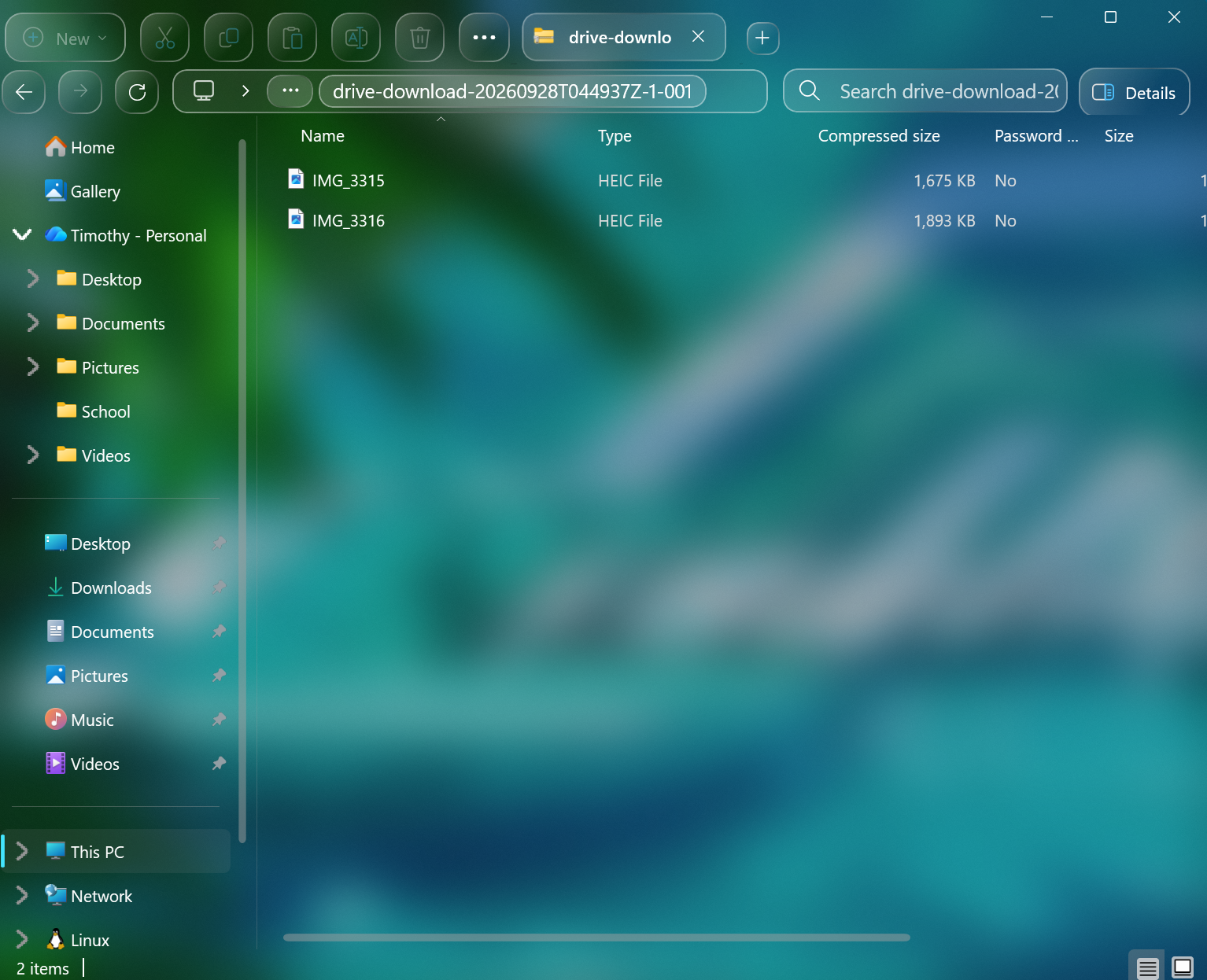
| File Explorer | Full glass, paired with File Explorer Styler |
| Task Manager | Half: the left pane showed the wallpaper, the process list stayed solid |
| Vivaldi | No change |
| Discord | No change |
| Settings | No change from the mod |
That lines up with the mod’s own readme, which says the effects don’t reach modern Windows apps or programs built on Chromium, Electron or Qt. Vivaldi is Chromium and Discord is Electron, so they were never going to change.
Settings is the one that’ll trip you up. It looks faintly see-through, but Windows does that by itself. Microsoft’s Mica page describes it as an opaque material tinted by your wallpaper, used on long-lived windows like apps and settings, so what you’re seeing there is stock Windows 11.
Before You Install: Transparency Effects and Energy Saver
2 Windows settings decide whether the mod can do anything at all, and the second one is the one nobody mentions.
Transparency effects has to be on. Go to Settings > Personalization > Colors and flip Transparency effects on. While you’re there, set Choose your mode to Dark, since the readme says the mod works best on the default dark theme.
Energy saver has to be off. Microsoft’s own Energy saver documentation says transparency effects on window backgrounds are disabled while it’s on. Mine is set to switch on automatically at 20% battery, so the first time I tested this, every window stayed flat and I thought the mod was broken. You can check it from the Energy saver tile in Quick Settings (click the battery icon), or change when it kicks in under Settings > System > Power & battery > Energy saver.
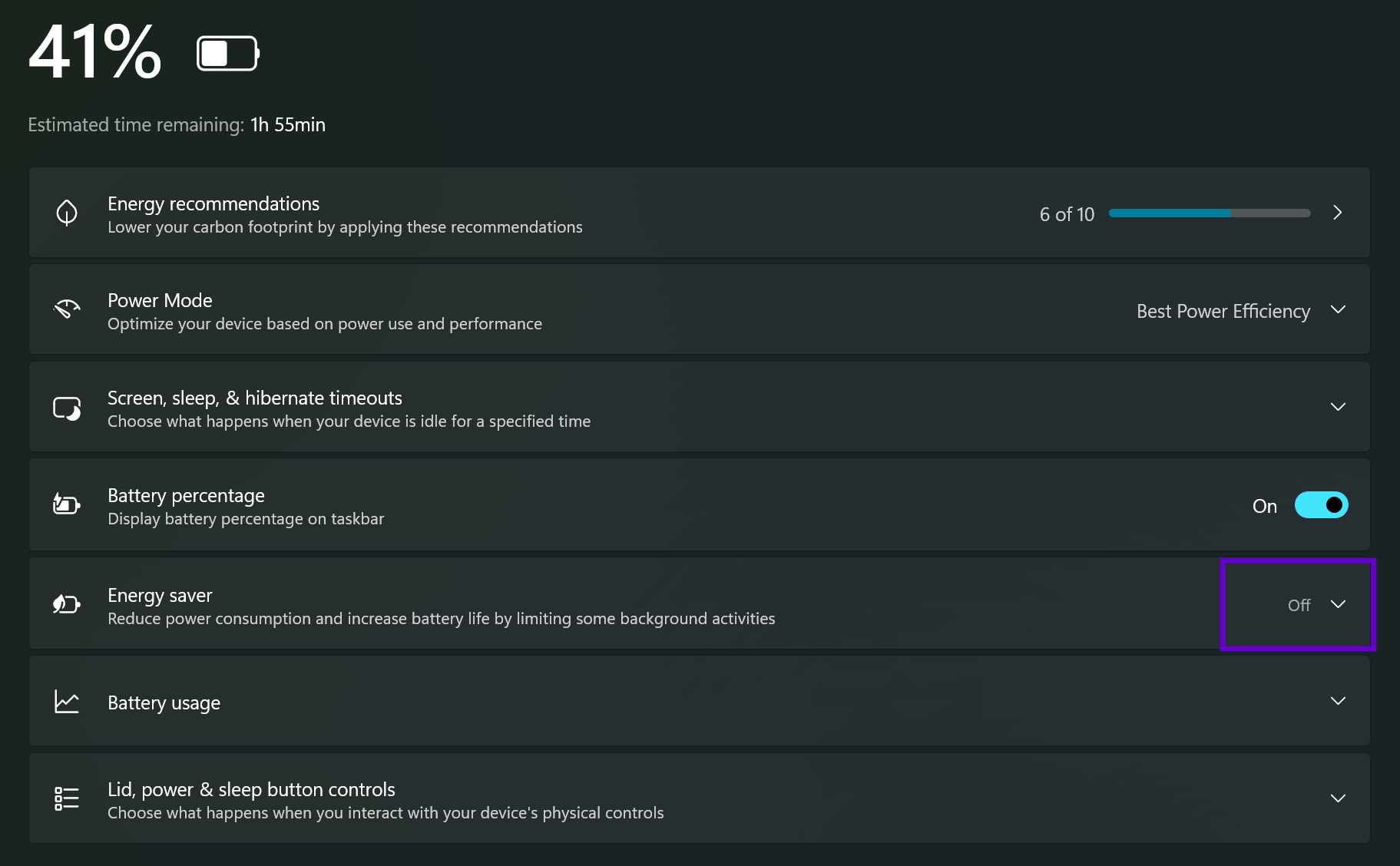
Worth knowing too: the same doc says Energy saver can be set to run while plugged in. So if you’re on the charger and still getting no glass, check that tile anyway.
How to Install Windhawk Translucent Windows
If you don’t have Windhawk yet, my guide on what Windhawk is and how to install it takes about 2 minutes. Then:
- Open Windhawk and click Explore.
- Search for Translucent Windows (the author is Undisputed00x), click into it, and hit Install.
- Open the mod’s Settings tab.
- Under Translucent Effects, set Background effects to Acrylic (SystemBackdrop).
- Click Save settings.
- Close the window you want to test and open it again. regedit is the best first test (press Win + R, type
regedit, hit Enter), since it’s a plain old program with nothing else styling it.
Don’t skip that last step. Windows that were already open when you saved don’t always pick the change up, and I’d rather you reopen once than assume the mod failed.
Windhawk Translucent Windows Settings, Explained
The Windhawk Translucent Windows settings page throws a lot of options at you with emoji headers and not much explanation, so here’s what each one actually does.
Background effects: Blur vs Acrylic vs Mica vs MicaAlt
This is the setting that decides the look, and the 4 options are a lot more different than the names suggest. I tested all 4 on regedit in the same spot over the same wallpaper:
| Effect | What I got | Why |
|---|---|---|
| Blur (default) | See-through, darker tint | Uses an undocumented Windows function; the tint comes from the color blend setting |
| Acrylic | See-through, brightest glass | Microsoft’s background acrylic shows the wallpaper and any windows behind it |
| Mica | Solid dark gray, faint teal tint | Mica is opaque and only tinted by the wallpaper |
| MicaAlt | Near-black, stronger teal tint | Microsoft describes Mica Alt as Mica with stronger wallpaper tinting |
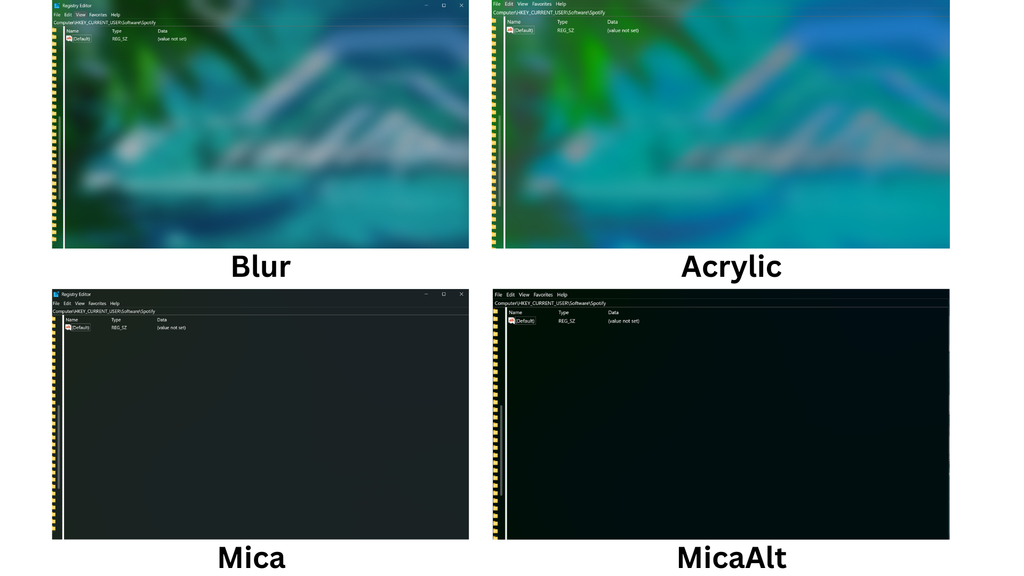
So if you picked Mica expecting glass and got a solid window, the mod is working, Mica just isn’t see-through. For the glass look, it’s Blur or Acrylic.
AccentBlurBehind color blend
This only affects Blur. It’s a color in hexadecimal ARGB format, where the first 2 characters are the opacity and the last 6 are the color. The default 3A232323 is a dark gray (232323) at about 23% opacity (3A), which is why Blur came out darker than Acrylic for me. Lower the first 2 characters for lighter glass, or swap the last 6 for any hex color to tint it.
Custom rendering, New system colors and the accent colorizer
- Windows theme custom rendering (on by default): the text fix from earlier. Leave it on, since the readme recommends it whenever you use a background effect.
- New system colors (off by default): recolors extra parts of old programs to blend with the glass. Because it works through SetSysColors, the readme warns it applies system-wide and overrides Windhawk’s process exclusions. I left it off, and so should you unless something specific looks wrong.
- Windows theme accent colorizer (on by default): paints parts of the theme with your accent color.
Flyout effects
On by default. Per the readme, this extends the effect to right-click menus, dropdowns and tooltips in old programs. I left it on.
The Windhawk Translucent Windows settings I kept
Honestly, the defaults with 1 change: Background effects on Acrylic. Custom rendering on, New system colors off, accent colorizer on, flyout effects on. It’s the brightest glass of the 4, and it’s the one that went through Microsoft’s documented backdrop setting, so it’s also the one I’d trust to keep working after Windows updates.
Pairing It With File Explorer Styler
On 25H2, Control Panel opens inside the new File Explorer frame, and it went fully see-through for me, toolbar and all. The only thing that changed was the search box, which turns solid black while you’re clicked into it and goes back to glass the moment you click away.
File Explorer itself is where the pairing matters. The readme says the new File Explorer’s modern parts need Windows 11 File Explorer Styler with the Translucent Explorer11 theme to go see-through. I was already running File Explorer Styler with OS26 Liquid Glass from my Frutiger Aero Windows 11 setup, and adding Translucent Windows on top fixed a glitch I’d written off there: the dark strip down the edge of the navigation pane, next to the scrollbar, went fully transparent while keeping the Liquid Glass look. My Windows 11 File Explorer Styler guide covers the Explorer side.
Windhawk Translucent Windows Not Working? 5 Fixes
Most “windhawk translucent windows not working” problems aren’t the mod being broken. Here’s everything I hit, roughly in the order you’ll hit it.
1. Everything stays solid
Check Energy saver first, then Transparency effects, as covered above. If you’re on a laptop, this is the fix for Windhawk Translucent Windows not working far more often than anything else. Microsoft’s Acrylic and Mica docs both list transparency being off and the battery-saving mode being on as reasons the materials fall back to a solid color.
2. Windhawk Translucent Windows black background
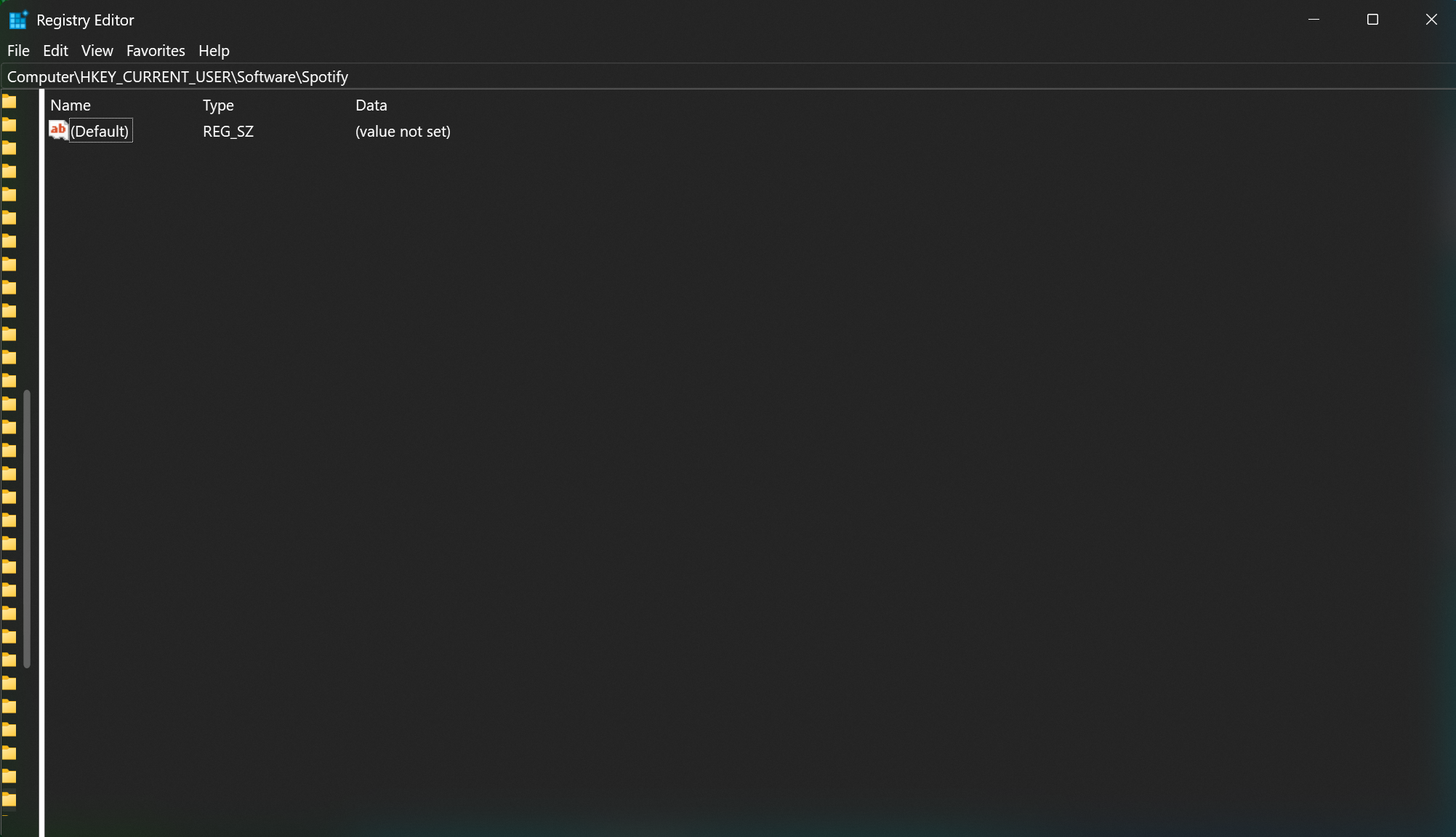
My regedit window came out solid black on my first try. My read on it: the mod’s custom rendering had already cleared the normal white background, but Windows wasn’t drawing any effect behind it yet, so there was nothing to show except black. Once Energy saver was off, I clicked Save settings again, closed regedit, reopened it, and the glass showed up.
For anything that opens inside File Explorer, like Control Panel, closing the window isn’t always enough. Open Task Manager, find Windows Explorer, and click Restart. If File Explorer itself has black patches, the readme’s recommendation is the File Explorer Styler pairing above.
3. It goes flat gray when you click away
Windows does this one by itself too. Microsoft’s docs say background acrylic and Mica both switch to a solid color when a window stops being the active one. It’s the same thing I explained in my File Explorer Styler post, and it catches people off guard in screenshots too: Snipping Tool (Win + Shift + S) takes focus, so the window goes flat right before it’s captured. Use Alt + Print Screen instead, which grabs the active window without changing focus.
4. Windhawk Translucent Windows text hard to read
There are 2 different text problems here. The first is plain contrast. In my Control Panel screenshot, the blue links blend into the blue-green glass, and the View by: label nearly disappears. Microsoft’s own Acrylic guidance recommends against accent-colored text on acrylic for exactly this reason. A darker or busier part of your wallpaper behind the window helps, and so does the darker tint from Blur.
The second is text actually going invisible. The readme lists HDR, 10-bit color output, and black or white backgrounds behind the window as causes, and GitHub issue #1998 reports text turning invisible with HDR on. I turned HDR on (Windows + Alt + B) on my G16’s OLED panel and regedit’s Windhawk Translucent Windows text stayed perfectly readable on version 1.8.2. So it may be fixed, or it may depend on the app or the monitor. If yours goes invisible, turning HDR off is the first thing to try.
5. Colors stay changed after turning it off
This comes from New system colors changing colors system-wide, so disabling the mod doesn’t always undo them. I never turned that setting on, so it didn’t happen to me, but the readme gives 2 fixes. First, switch your Windows theme to a default one under Settings > Personalization > Themes, then switch back. As a last resort, delete the registry key HKEY_CURRENT_USER\Control Panel\Colors and reboot. Export that key first (right-click it in regedit and pick Export) so you can undo it.
Why won’t Notepad, Chrome or Discord change?
For Chrome, Discord, Spotify and anything else built on Chromium or Electron, it’s by design, since those draw their own interface and never ask Windows for a backdrop. Notepad is a double case. The new tabbed Notepad is a modern app the mod can’t reach anyway, and the mod ships with a default entry under Process Rules that turns effects off for Notepad.exe. If you want to try it on Notepad, that rule is the first thing to change.
Does It Drain Battery?
I haven’t measured the watts yet, so I won’t give you a number I don’t have. What I can tell you is what Microsoft says: acrylic is GPU-intensive and can increase power use, while Mica only samples the wallpaper once, specifically for performance. So if you live on battery like I do, Mica is the lighter option, and Energy saver will turn the effect off for you at low battery anyway. If battery life is the bigger priority, my best G-Helper settings guide will save you a lot more battery than this mod uses.
Windhawk Translucent Windows FAQ
Is Windhawk Translucent Windows safe?
It works the same way as every Windhawk mod, loading into running programs rather than editing files on your disk, and its source is public on GitHub. The one difference is scope: this mod loads into all processes instead of just Explorer. I go through the injection side properly in is Windhawk safe.
Does it work on Windows 10?
It’s built for Windows 11, and the Acrylic, Mica and MicaAlt options need Windows 11 build 22621 (22H2) or newer, per Microsoft’s documentation. I haven’t tested it on Windows 10.
How do I turn it off completely?
Open Windhawk, go to the mod, and click Disable to keep your settings, or Remove to get rid of it. Then reopen any windows that were styled. If colors stay changed, see fix 5 above. And if you’re taking Windhawk off your PC entirely, I tested what it leaves behind in my guide on how to uninstall Windhawk.
Would I keep it on day to day?
Yeah, after a first round of testing I’d say it’s fine to leave on. It only touches old-style programs, so there isn’t much for it to break in daily use, and when it does look off, it’s almost always 1 of the 5 things above.
If you want more Windhawk ideas, my best Windhawk mods list has everything I actually keep running, and Windhawk not working covers problems with Windhawk itself rather than this mod.
If you run into something specific with Windhawk Translucent Windows that I didn’t mention here, a certain app, a weird color, text that won’t show up, drop it in the comments along with your Windows build and which background effect you’re on, and I’ll take a look.